Official Partner

Search Driving liecens by DL No And DOB

Simple, transparent, and authoritative. Clear your pending challans in minutes with our digital concierge.

Pending Challans

Over Speeding14 Apr 2026 · NH 48, Mumbai
₹1,000
Red Light Jump02 Mar 2026 · Andheri West
₹500

How to find driving licence number by
Name and DOB

Driving Licence Search

Losing your physical driving licence isn't a disaster—your DL number (e.g., DL-14 2024 1234567) remains your unique identifier. Here's how to retrieve it online using your name, DOB, and mobile number. Every driver's unique identity is represented by their driving licence number. Always keep a record of your driving licence number. Even if you misplace your driving licence, knowing the DL number can be quite beneficial!

How to know Driving Licence number?

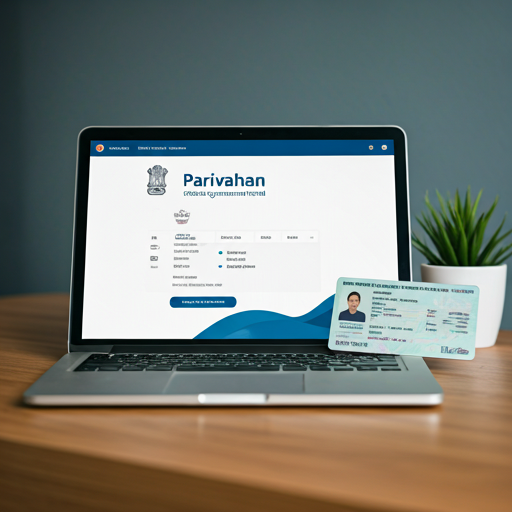
If you have lost or got stolen your driving licence and do not know your driving licence number or do not have driving licence copy, you must first find your driving licence number before you may obtain a duplicate DL through the Parivahan website. Using the sarthi parivahan website, you can look up your driver's licence number online. You must also link your mobile phone number to your driver's licence.

  1. 1 If you wish to check your driving licence number without a card, first go to the Parivahan official website
  2. 2 Then go to the online services menu and select driving licence related services.
  3. 3 Now, open a new page and choose a state.
  4. 4 After selecting a state, click on other in the main menu to access the DL search seen in the image below.
  5. 5 Now add your name, date of birth, and phone number.
  6. 6 When you click the Submit Button, your driving licence number and data will appear on your screen.

State-wise Availability of DL Number Search by Name & DOB

Important Note: Access to driving licence number search using only Name and Date of Birth varies from state to state. Some RTOs (Regional Transport Offices) do not provide this facility online, or restrict it to internal records only.

STATE/UT DL Number Search via Name & DOB (Parivahan) State/UT
Delhi
Not available directly Requires application reference or DL number
Maharashtra
Limited RTOs May show details if registered online
Uttar Pradesh
Partial Works for RTOs integrated with Parivahan
Tamil Nadu
Not supported Need physical visit or mobile number linked
Karnataka
Some RTOs Especially Bengaluru, if DL is digitized
Rajasthan
Not available Offline enquiry only
Gujarat
Supported in cities Name, DOB, and linked mobile number needed
West Bengal
Not available Visit RTO for help
Andra Pradesh
State-specific Portal https://aptransport.org
Delhi
Not available directly
Requires application reference or DL number
Maharashtra
Limited RTOs
May show details if registered online
Uttar Pradesh
Partial
Works for RTOs integrated with Parivahan
Tamil Nadu
Not supported
Need physical visit or mobile number linked
Karnataka
Some RTOs
Especially Bengaluru, if DL is digitized
Rajasthan
Not available
Offline enquiry only
Gujarat
Supported in cities
Name, DOB, and linked mobile number needed
West Bengal
Not available
Visit RTO for help
Andhra Pradesh
State-specific Portal
Portal

Know Driving Licence Number Without Any Card:

The following is the procedure for to know driving licence number without card:

  1. 1 If you want to find your driving licence number without a card, go to the Parivahan official website.
  2. 2 Then go to the online services popup menu and select driving licence related services.
  3. 3 Now, open a new page and choose state.
  4. 4 After selecting a state, click on other in the main menu to access the DL search seen in the image below.
  5. 5 Now add your name, date of birth, and phone number.
  6. 6 When you click the Submit Button, your driving licence number and data will appear on your screen.

What We Should Do If We Lost Driving Licence?

The following are some of the points to be remember when you lost your driving licence:

  1. 1 Go to the police station where your driver's licence was stolen.
  2. 2 Make a complaint and make sure you have a copy of the First Information Report (FIR).
  3. 3 To acquire an affidavit on stamped paper, go to the Notary Office. The affidavit will serve as proof that you swore before the appropriate person (Executive Magistrate / Notary Public / First Class Judicial Magistrate) that your licence was lost.
  4. 4 A nominal fee will be charged for notary services and stamp paper.

Also Read

Conclusion

Driving Licence Numbers serve as an individual's identifier. It is always a good idea to write down one's driving licence number. Knowing your DL Number can help you a lot in the event that you lose your driving license. In some cases, however, the driving license has been lost and the number of the driving license is unknown as well. Follow the method to know driving licence number.

In case of any queries feel free to ask us in the comment section.

Frequently Asked Questions

Is it possible to find my driving licence number using just my name and date of birth?
Yes, it is possible to retrieve your driving licence number online using your name and date of birth. However, you will need additional details such as your registered mobile number for verification via OTP. Without this, you won’t be able to complete the process.
What steps should I follow to search for my driving licence number online?
To search for your driving licence number online, follow these steps – Go to Parivahan website. Select driving licence services. Choose your state and RTO. Click on “Find Application Number.” Enter your name, date of birth, and captcha. Submit details. Enter OTP sent to your mobile number. You will see your driving licence number.
Do I need to have my mobile number linked to my driving licence for this process?
Yes, you must link your mobile number with your driving licence. You will receive OTP on your registered mobile number. You need this OTP to verify your identity during process.
What should I do if the online portal doesn't display my driving licence details?
If online portal does not show your driving licence details, you can follow these steps: Check your name, date of birth, and RTO details. Make sure all details are correct. If details are correct but still not visible, contact RTO that issued your licence. Ask them to check your record in Parivahan database. If your details are not updated online, you may need to visit RTO office for help.
Is it safe to use third-party websites to retrieve my driving licence number?
No, it is not recommended to use third-party websites for retrieving your driving licence number. Always use government-authorized portals like Parivahan or DigiLocker to ensure data security and protect personal information from misuse.
Can I download a copy of my driving licence?
Yes, you can download driving licence using Digilocker.
Why does my DL show old address or expired validity online?
This happens if your licence was issued before database updates or address change.